How to use the RecoveryRachel
The RecoveryRachel is designed to help individuals, families, and professionals quickly find mental health and addiction recovery services across Ohio. There are two primary ways to navigate the portal:
Option 1: Browse providers
Simple Search
- Click "Browse Providers" in the navigation bar at the top of your screen or on the homepage.
- Use the search bar to enter a search query (e.g. counseling services in Columbus).
- Press “Enter” on your keyboard, or click on the magnifying glass.
Advanced Search
- Click "Browse Providers" in the navigation bar at the top of your screen or on the homepage.
- Click "Advanced Search."
- Choose or specify among various filters to find relevant providers.
- Click "Search."
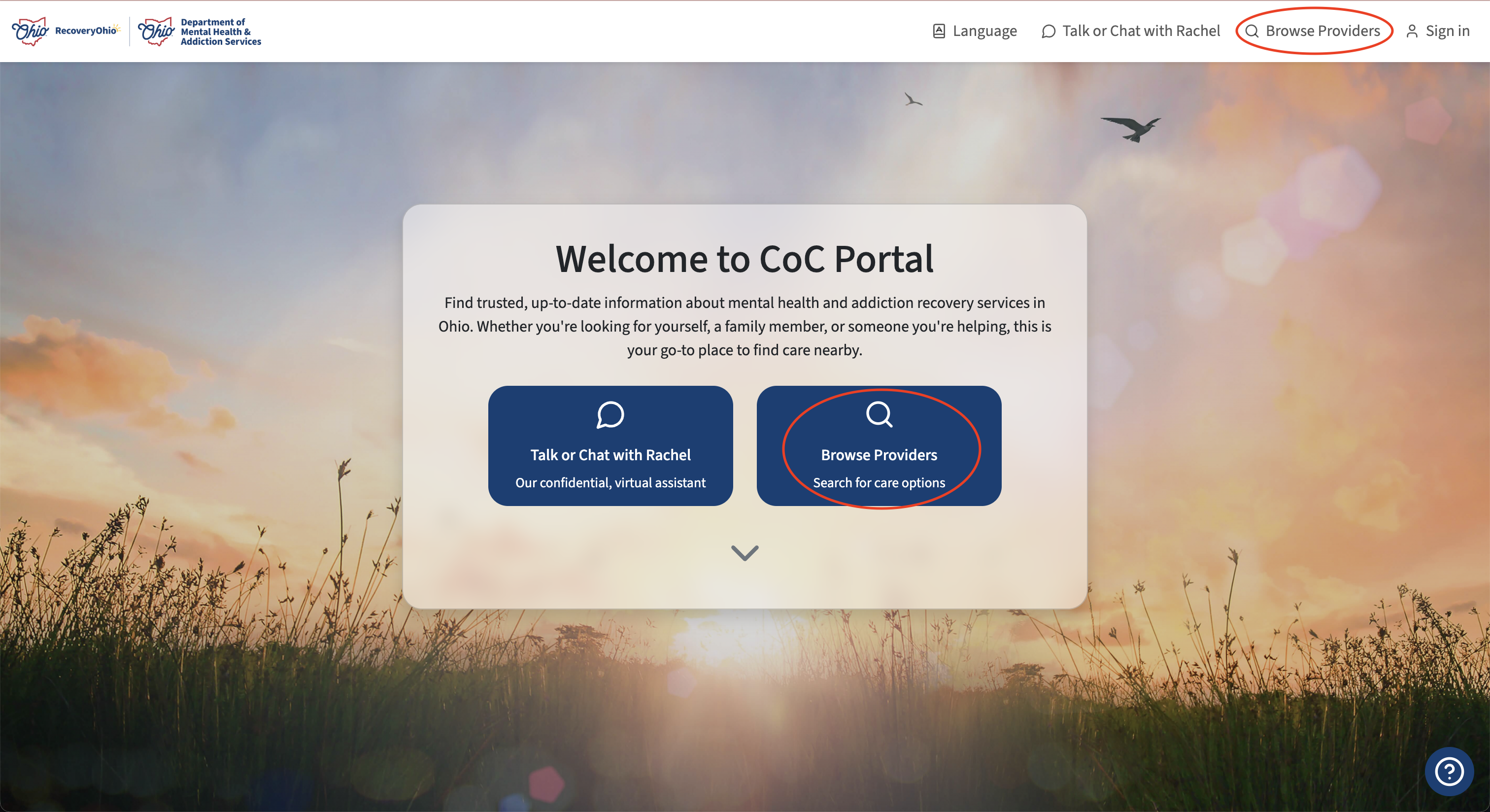
Buttons to access provider search interface circled in red
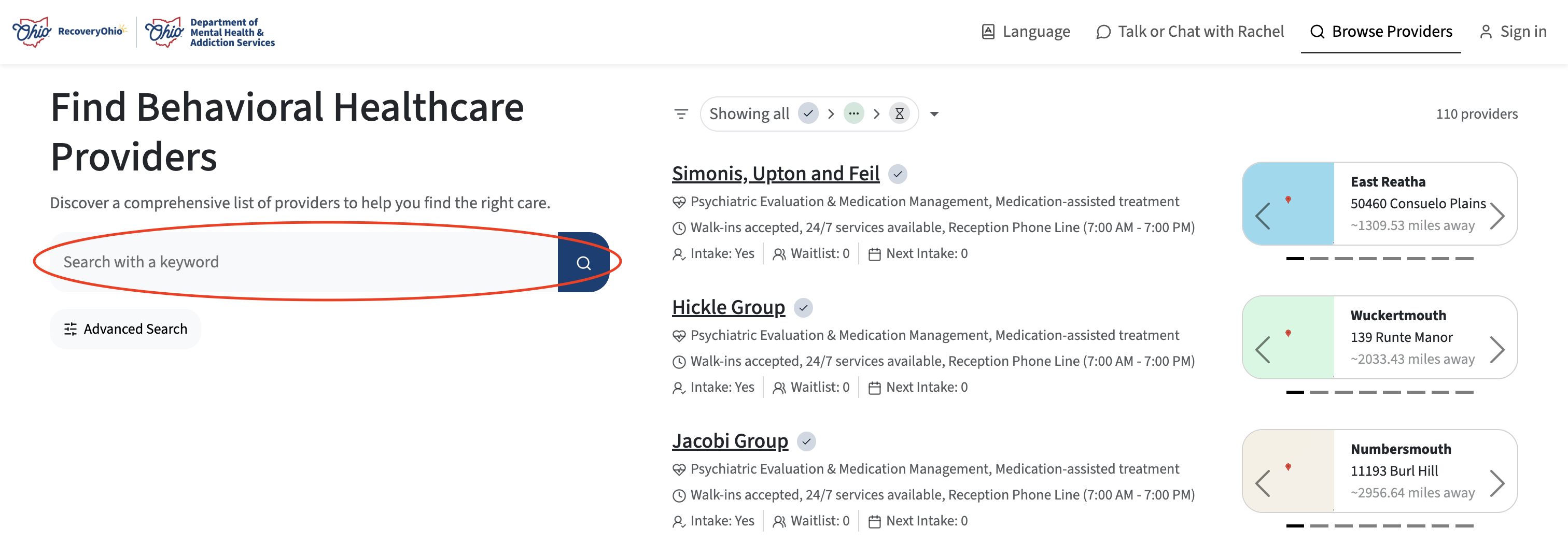
Use the search bar to conduct a basic search query
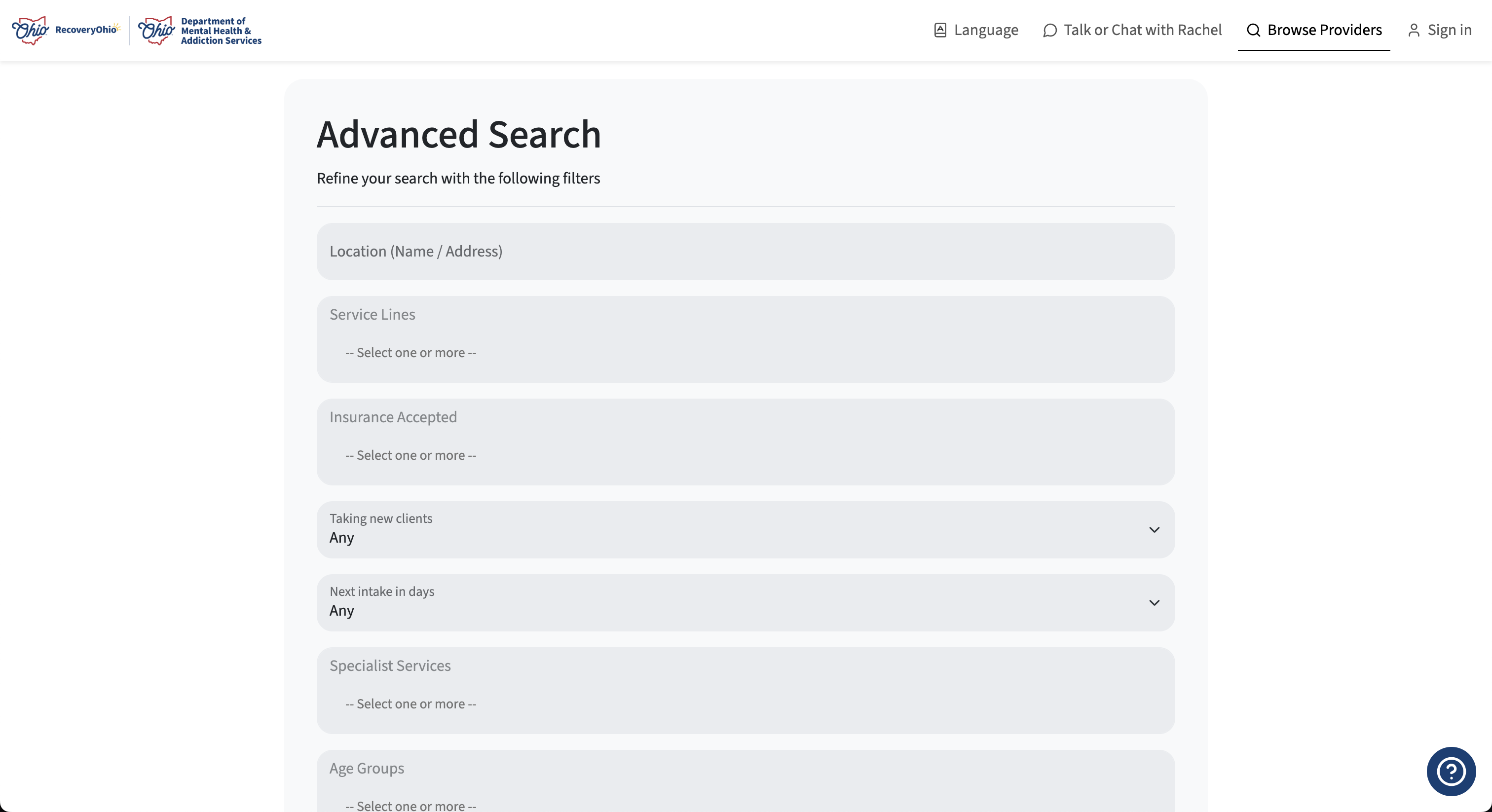
Click "Advanced Search" to access advanced filters for providers
Option 2: Talk or Chat with our virtual assistant, Rachel
Rachel is our friendly, completely confidential virtual assistant designed to help you quickly find care. All conversations are private and secure.
- Click "Talk or Chat with Rachel" on the homepage or the navigation bar at the top of your screen.
- Rachel will begin speaking to you. Choose to continue the conversation by replying aloud, or default to a text-based chat by clicking the keyboard icon.
- Rachel will ask you a few simple questions, like, "What kind of help are you looking for?" and "Where are you located?".
- Answer in your own words. You don't need to create an account or identify yourself. All conversations with Rachel are 100% confidential and secure.
- Rachel will quickly match you with services that fit your needs and connect you to a list of providers.